Extension for Plesk® Windows

Antivirus for
Plesk® Windows

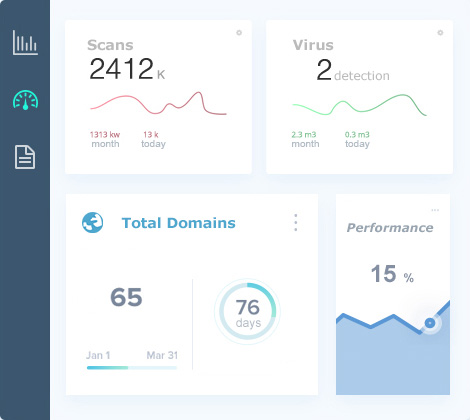
Cybersecurity tailored to you. The best protection against Viruses, Trojans and Malware. Install now from Plesk the antivirus that will help protect you. Effortless security with Flex Clam Server.

Active protectionIn real time

Flex Antivirus para Plesk Windows
500+ serversprotected today
99 Detection rate
24/7 Continuous protection
500 Protected servers
1000 Threats blocked/day
Our services

What can we do for you?

The best way to stay protected is Flex Antivirus, real-time protection for Windows Server and Hosting. Automated daily scans for viruses, trojans and malware. Compatible with MailEnable and SmarterMail to keep your emails secure and protected against threats.


View all features

Active Protection

Active Protection

Our extension will scan all files for viruses or potentially dangerous programs in real time.

Your data, your treasure

Your data, your treasure

Are you serious about securing your business? Prevent your data from being damaged due to viruses, trojans and malware.

Updates

Updates

Automatic and daily updates. If you're looking to elevate your security posture, this is the easiest solution.

Ease of use

Ease of use

Protect the entire organization from the Plesk Panel by easily configuring automatic parameters.

Our services
Our services

What can we do for you?

The best way to stay protected is Flex Antivirus, real-time protection for Windows Server and Hosting. Automated daily scans for viruses, trojans and malware. Compatible with MailEnable and SmarterMail to keep your emails secure and protected against threats.

  • Real-time analysis of all server files
  • Schedulable automated daily scans
  • Automatic quarantine of infected files
  • Compatible with email: MailEnable and SmarterMail
  • Detailed reports from the Plesk panel
More info
Simple Installation

Ready in less than 1 minute

Install the extension via Remote Desktop or by uploading it to the Plesk catalog. No complex configurations, no server restarts.

Download Extension

For manual installation, download the extension and upload it to the Plesk catalog.

Install with one click

Click install and the extension will download and install automatically on your server.

Configure and protect

Adjust the parameters from the Plesk panel and activate real-time protection.

Try Antivirus Protection for Free

You can use the extension completely free with service limitation or purchase the license and get full access. You can cancel whenever you want, as there is no commitment period.